


It’s no secret we have come a long way with gaming technology over the past few years. When I was a kid, if I wanted to play video games outside the house, I had to carry around a big, bulky Game Boy that was primarily only available with grainy black-and-white graphics. Those days seem like long ago now that there are a multitude of portable gaming devices and gaming tool available. Graphics keep getting bigger, more colorful, and detailed.
iPhone games have created a whole new level of gaming. There seems to be a game available in the App store for every type of gamer. There are beloved word games like Words with Friends, drawing games like Draw Something, and every one’s once favorite game, Angry Birds. These games work well with the touchscreen interface since they do not require many actions or controls.
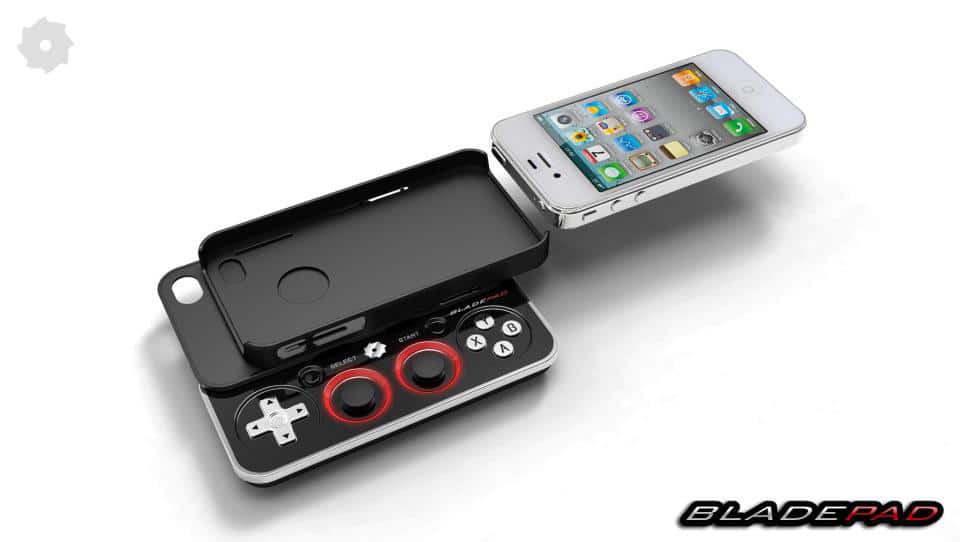
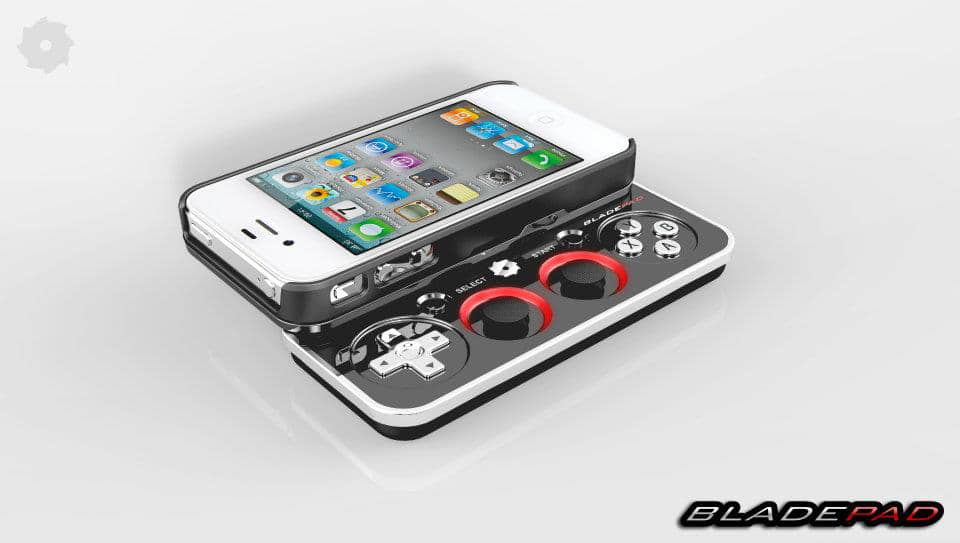
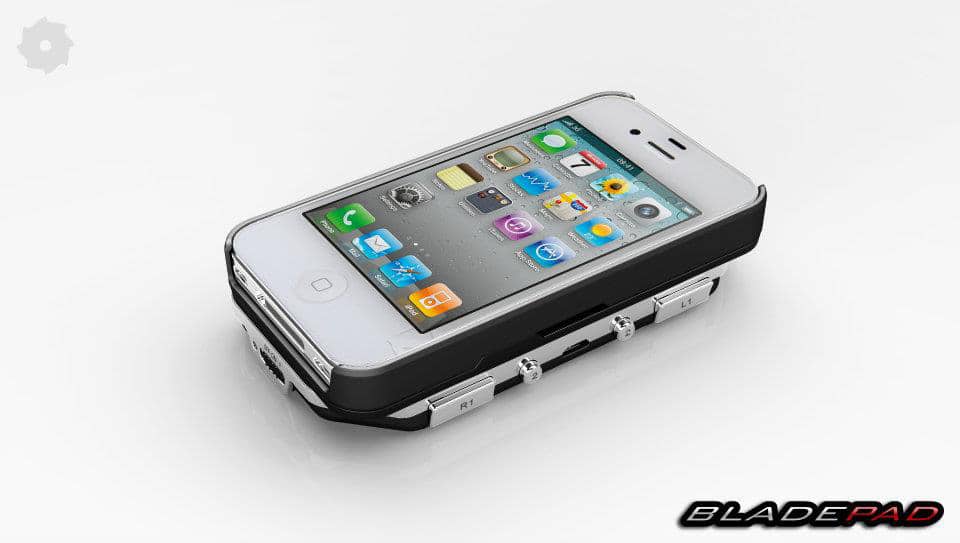
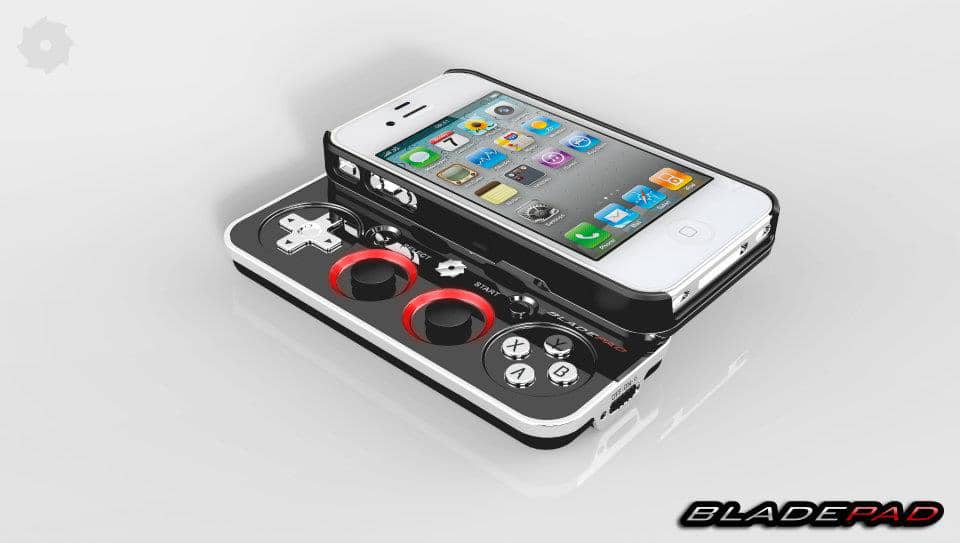
However, there are other more complex games that the touchscreen makes difficult to operate. Adventure games such as Epoch may be easier to play with a traditional gaming controller rather than the sensitive touchscreen display. The people at Bladepad understand this need and have developed a slide out controller gaming tool for the iPhone that is every gamer’s dream. The controller acts as both an iPhone case and gaming tool.
The Bladepad connects to your iPhone through Bluetooth technology. To use it, simply slide your iPhone into the case and then slide out the controller. The controller is approximately the same length as the iPhone and features a directional keypad, x, y, a, and b buttons, and two small joysticks just like a traditional gaming system would have.
According to their KickStarter page, the creators have recently decided to cancel the funding for their device. However, on their Facebook page, they explain that the Bladepad will be released later this year and will be compatible with the iPhone 4s or the iPhone 5. It is estimated to cost about $84 with shipping. They stated their reason for cancelling the funding was so they would have more time to ensure their product is ready for release. The Bladepad sounds like a great little gaming tool that can really make gaming more fun and easier on the iPhone, and I’m really excited about its release. Would you prefer to use a controller for your iPhone gaming, or would you rather keep to the touchscreen functions?
Click Bladepad Gaming Tool Images To Enlarge
Via: [Kickstarter] [Bladepad / Facebook]
COMMENTS