Discover The World Around You Discover The World Around You
Rebel Shop Geek Store

Subscribe

LED Ring Turns Your Marriage Proposal Into A Tech Fest

Bit Rebels RSS Feed Promotion
MOST RECENT RETWEETERS
Retweet Match Help Button
 
Default Retweeter Profile Image
Tweet Article To Promote Yourself Here
Default Retweeter Profile Image
Tweet Article To Promote Yourself Here
Default Retweeter Profile Image
Tweet Article To Promote Yourself Here


Previous Article
Check Out More Of Our Geekery
Next Article
share
Pin It

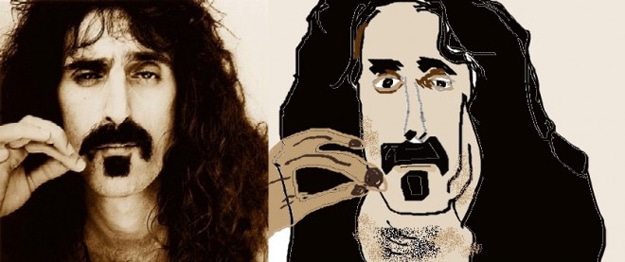
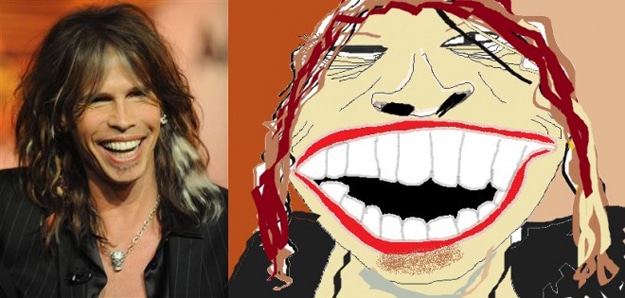
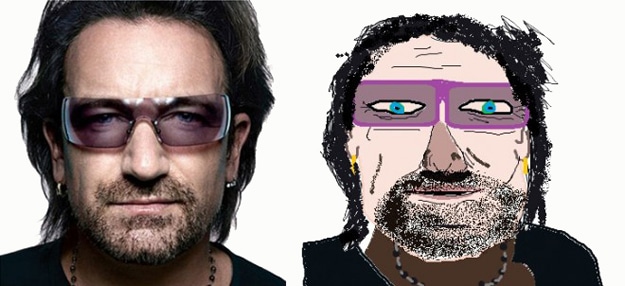
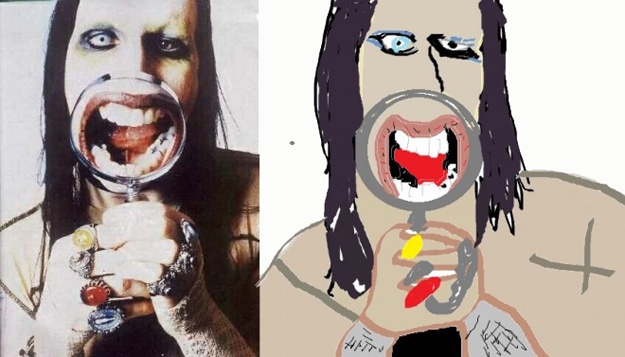
10 Famous Musicians Created In Microsoft Paint

Musicians Made In MS Paint

As I’m sure you know, MS Paint or Microsoft Paint is a classic graphics painting program that has been around for a long time. It’s included in all versions of Windows, and if you are one of those people who rarely plays around with the programs on your computer, you might not have even noticed it was there.

To get to it, go to the Start menu, then click All Programs, then click Accessories, then click Paint. You’ll see a blank window open up with different tools and colored boxes around it. Since I’m more of a Mac/Photoshop girl, I haven’t spent a lot of time messing around in Paint, but I’ve used it enough to know that it is more powerful than a lot of people give it credit for.

You can go to the Microsoft Paint Overview to learn the basics, and you can go to MS Paint Tricks to learn some fancy stuff that the basic tutorial doesn’t cover. Reddit user manmalade has a special talent for creating musicians in MS Paint. These are great! They truly capture the essence of each musician with a caricature flavor added. What a creative example of simple, fun and very well done digital art.
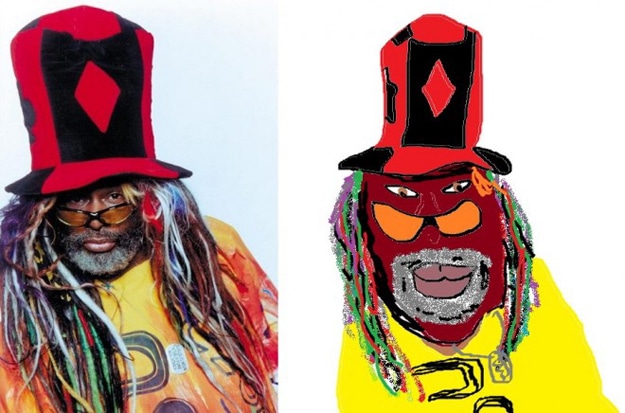
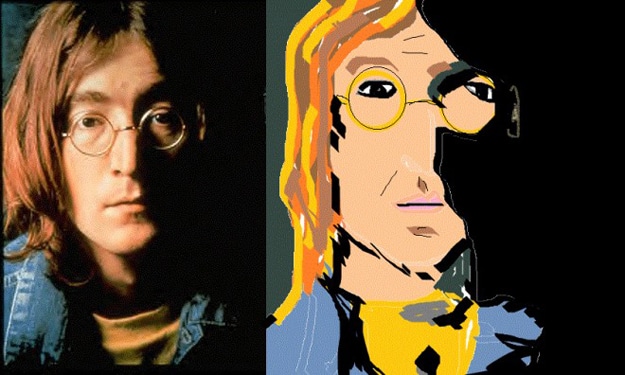
Microsoft Paint Draw With Software

Microsoft Paint Draw With Software

Microsoft Paint Draw With Software

Microsoft Paint Draw With Software

Microsoft Paint Draw With Software

Microsoft Paint Draw With Software

Microsoft Paint Draw With Software

Microsoft Paint Draw With Software

Microsoft Paint Draw With Software

Microsoft Paint Draw With Software

Via: [Sad and Useless]


You Might Also Like...
Bit Rebels
Make Sure Your Social Media Campaign Is On Track [Infographic]
SHARES
170
8 Steps To Cover Your Whole House In Bacon [Infographic]
SHARES
233
Tech Vending Machine Saves You From A Complete Facepalm
SHARES
81
iPhone Evolution Completely Showcased [Infographic]
SHARES
204
Choosing The Right Tablet For You [Flowchart]
SHARES
173
 
 
Author Avatar Image Representation

Author: Diana Adams


As the editor and global advertising director for Bit Rebels, Diana spends her days fine-tuning the content for Bit Rebels and working with established companies, startups, app developers and Internet entrepreneurs who want to be associated with the Bit Rebels brand. Diana started with Bit Rebels in July of 2009, three weeks after the site launched. She brought fifteen years of Information Technology experience and a love of everything considered geek with her, and she enjoys the journey each day as the site continues to reach more people and progress at a very fast pace. You can usually find Diana working in the Bit Rebels office located in Atlanta or sitting in the corner of a downtown Starbucks somewhere with her MacBook, iPad, iPhone and a Grande Caramel Macchiato. You can reach Diana at diana@bitrebels.com.

Leave A Comment