


Admittedly, this isn’t the sort of thing I’d usually blog about… but hey, it’s information everybody can use – particularly bloggers. See, there’s this little search engine known as TinEye. It’s like…Google, but for images, sort of. There’s a bit more to it than that.
I’m not explaining this very well, am I?
Essentially, TinEye is something known as a ‘reverse search engine.’ You plug images into it, and it does a search to see if there are any images that match up with the original. Now, a lot of you are probably thinking that Google does something very similar to that – and you’d be right.
The thing is, it works in a slightly different fashion.
See, Google mostly uses keywords and the like for its reverse image search. It’ll try to match your image to other images in its collection, then it’ll generate a list of keywords related to those images. It’s a fine way of doing things… except when an image’s keywords don’t match up, or when it’s been significantly cropped or re-sized.
TinEye doesn’t suffer from such issues.
Every digital image ever created has a ‘digital fingerprint’ associated with it – something that makes the image what it is. Using technology developed by Idée Incorporated, TinEye extracts that fingerprint, and uses it to search for images that share it. End result?
No matter how an image has been changed, no matter how much it’s been re-sized or cropped, it’ll pop up in a search. Pretty awesome, right? I know it’s been a godsend for me when it comes to tracking down the original source of an image.
TinEye isn’t perfect – their digital library doesn’t encompass all of the pictures on the internet quite yet, and it does sometimes return negative results – but they’re off to a good start, either way.
You can download TinEye here. The site also includes links to an add-on for both Google Chrome and Mozilla Firefox.
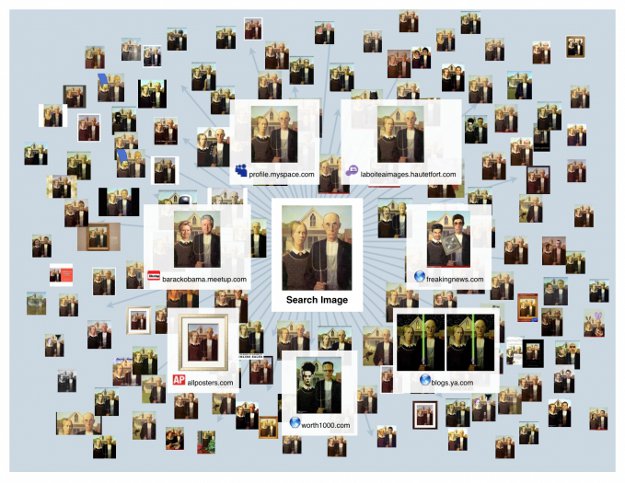
Image Credit: [Business Insider]
COMMENTS